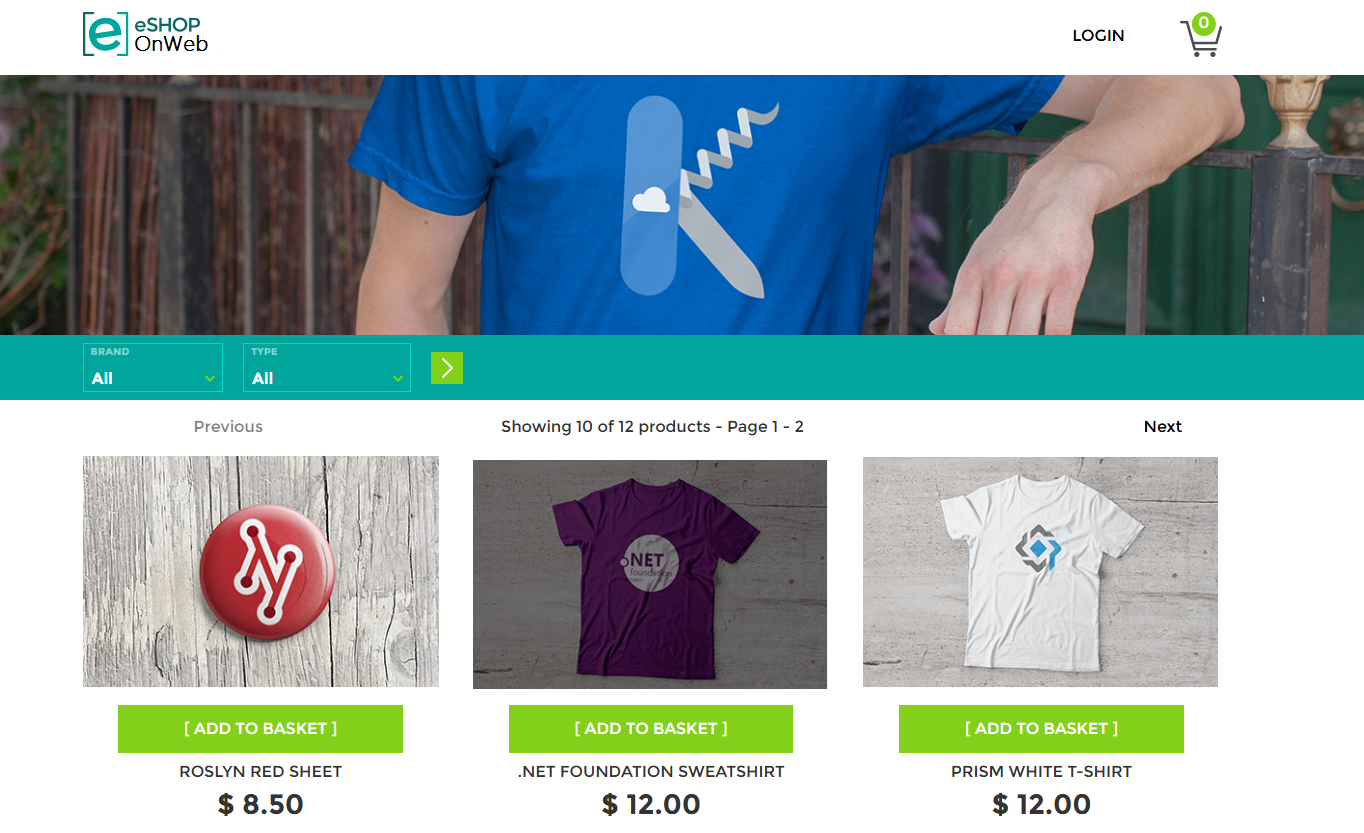
I have made a eshop website on Azure
Purpose of Using Github Projects
In the fast-paced world of software development, efficiency and collaboration are paramount. That’s where GitHub Projects and CI/CD (Continuous Integration/Continuous Deployment) come into play, transforming how teams manage their workflows and deliver high-quality software.
By leveraging Kanban boards, teams can break down complex projects into manageable tasks, assign them to team members, and monitor progress in real time. Each task moves through customizable stages (like “To Do,” “In Progress,” “Testing,” and “Done”), providing a clear picture of the project’s status at any given moment.This transparency fosters better communication and ensures everyone is on the same page, ultimately leading to more efficient development cycles. The ability to link these tasks to Milestones and Issues further ensures that the broader project goals are being met on time.
Purpose of Continuous Intergration and Continuous Deployment
Continuous Integration and Continuous Deployment (CI/CD) is the backbone of modern software delivery. Using GitHub Actions, teams can automate the build, test, and deployment process, eliminating manual steps that are prone to error. What does that mean in practice? Every time a developer commits code changes, a predefined workflow is triggered. This workflow can automatically build the application, run comprehensive tests, and, if all tests pass, deploy the new version to a staging or production environment.
The benefits of this automated approach are huge:
- Faster Release Cycles: Automation drastically reduces the time it takes to get new features and bug fixes into the hands of users.
- Improved Code Quality: Automated testing catches bugs early in the development process, leading to more stable and reliable software.
- Reduced Risk: Smaller, more frequent releases make it easier to identify and address issues, minimizing the impact of potential problems.
- Increased Developer Productivity: Developers can focus on writing code, knowing that the CI/CD pipeline will handle the build, test, and deployment process.
- Consistent Infrastructure: By combining CI/CD with Infrastructure as Code, teams can ensure that their infrastructure is deployed consistently and reliably every time, eliminating configuration drift and reducing the risk of errors.
In essence, GitHub Projects and CI/CD empower development teams to work smarter, not harder. By embracing these powerful tools, organizations can streamline their workflows, improve collaboration, and ultimately deliver better software faster. Whether you’re a small startup or a large enterprise, integrating GitHub Projects and CI/CD into your development process is a crucial step towards achieving greater efficiency and success.
This is what I did:
I learned those from this cource
From Planning to Deployment: Mastering the Software Development Lifecycle with GitHub
In our ongoing journey to streamline software development, we’ve explored the power of GitHub Projects for planning and CI/CD for automation. Now, let’s delve deeper into how GitHub facilitates a complete, agile workflow, covering everything from initial planning to final deployment. Our experience with a recent project, transitioning a retail company to an online store, provides a perfect real-world example of GitHub’s capabilities in action.
Laying the Foundation: Agile Planning with GitHub Projects (Lab 1)
Our first challenge was to address communication breakdowns and streamline our planning process. Enter GitHub Projects. We created a central repository for our project and used the “Team planning” template to establish a Kanban-style project board. This allowed us to visually track tasks through “To Do,” “In Progress,” and “Done” columns. We created milestones, like “alpha release” and “beta release,” to mark significant project phases. We then broke down these milestones into smaller, manageable tasks, represented as issues. The ability to convert draft items into issues and link them to milestones was crucial for maintaining a clear connection between individual tasks and overall project goals. For example creating a new repository, making it private, and adding files like .gitignore and a license (MIT). The first step was to create a repo, “On the Create a new repository page, do the following actions: … In the Add .gitignore drop-down list, select Visual Studio.” Setting up milestones was just as simple “On the Milestones page, do the following actions: In the Title text box, enter alpha release.” and creating a project, “In the Short description text box, enter Introduction to GitHub Projects and select Save.” These features allowed for a much smoother experience when creating the project.
Streamlining Code Flow with Forks, Branches, and Pull Requests (Lab 2)
With our project plan in place, we needed a robust system for managing code changes. GitHub’s collaborative workflow, centered around forks, branches, and pull requests, proved to be the answer. Team members forked the main “Spoon-Knife” repository, creating their own copies to work on. We adopted a branching strategy where new features or bug fixes were developed in separate branches, such as “update-index.html.” For example, “On the Spoon-Knife repo page, select Fork.”, “In the General section of the Settings tab, ensure that the default branch is set to main.”, and “In the Find or create a branch… text box, enter update index.html and then select Create branch: update index.html from ‘main’ to create a new branch.” This was all done with ease through the interface provided. After making changes and committing them to their branches, developers initiated pull requests to merge their work back into the main branch. This process allowed for thorough code review and discussion before integration. We even used GitHub Copilot to help summarize our pull request descriptions, making communication even more efficient. Once approved, the changes were merged, and the associated issue was automatically moved to the “Done” column on our project board, providing a satisfying sense of completion.
Automating the Future: CI/CD with GitHub Actions and Infrastructure as Code (Lab 3)
Our final step was to automate our release process and infrastructure management. This is where GitHub Actions and Infrastructure as Code (IaC) came into play. We forked a sample web app repository (“eShopOnWeb”) that included a pre-configured GitHub Actions workflow and a Bicep template for defining our infrastructure. After forking “On the eShopOnWeb repo page, select Fork.” We then reviewed and modified the workflow file (eshoponweb-cicd.yml) to specify the build, test, and deployment steps. We configured our Azure environment, creating resource groups and a service principal, and stored the necessary credentials as secrets in our GitHub repository. Finally, we modified the Bicep template to match our specific infrastructure requirements. With everything in place, we were able to manually trigger the workflow, which automatically built, tested, and deployed our application to Azure. This streamlined our workflow, “Open the .github/workflows directory and then select the eshoponweb-cicd.yml file to view its content. Note that this GitHub Actions workflow contains the buildandtest and deploy jobs, which consist of the following steps: buildandtest, checkout the repository…”. This whole process was verified by “On the devops-webapp-westeurope- page, in the Essentials section, verify that the Default domain value is displayed.”
The Outcome: A Unified and Efficient Development Workflow
Through these three labs, we transformed our development process. GitHub became our single source of truth, from initial planning to final deployment. GitHub Projects, combined with a robust Git workflow and the automation power of GitHub Actions and IaC, enabled us to:
- Improve Communication and Collaboration: Everyone was on the same page, with a clear view of the project’s progress and their individual responsibilities.
- Streamline Code Management: Forks, branches, and pull requests provided a structured and controlled way to manage code changes.
- Automate Deployments: CI/CD with GitHub Actions eliminated manual steps, leading to faster and more reliable releases.
- Manage Infrastructure as Code: Bicep templates allowed us to define and manage our infrastructure in a repeatable and consistent manner.
Our journey with GitHub highlights the platform’s versatility and power. It’s not just a place to store code; it’s a comprehensive platform that supports the entire software development lifecycle, enabling teams to work more efficiently, collaboratively, and confidently.